Git's 'Local Changes Would Be Overwritten' Error Isn't What It Sounds Like
VS Code refused to let me switch branches after a GitHub merge. The uncommitted changes weren't the problem — my local main was just stale.
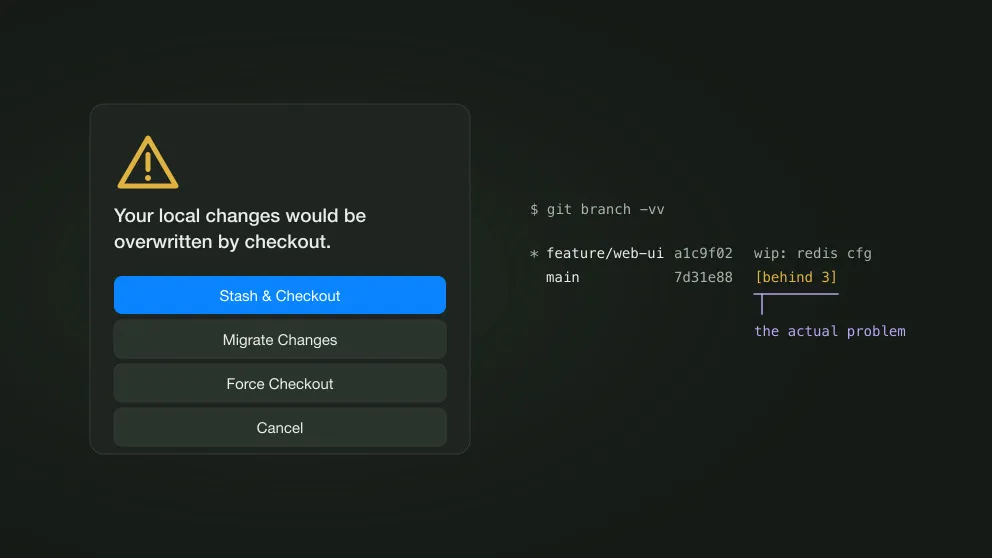
I was working on a Go URL shortener. Branched feature/web-ui off main, pushed it, opened a PR, merged it on GitHub. I stayed on feature/web-ui afterward and kept editing — four files showed up as modified in VS Code’s Source Control panel, nothing committed yet.
Then I tried to switch to main and got warning: “Your local changes would be overwritten by checkout.”
The stale branch was local main
The merge happened on GitHub, so origin/main moved forward. My local main never did:
git branch -vv main abc123 [origin/main: behind 3] Initial web UI* feature/web-ui def456 [origin/feature/web-ui] Wire up form handlerThat behind 3 was the whole story. Git refuses a checkout when it would overwrite uncommitted changes with different versions from the target branch. In my case, the target branch was simply an out-of-date local main.
The fix
git switch -c chore/redis-config origin/mainBranch straight off the remote ref instead of the stale local main. The four files I’d been editing were unchanged by the merge, so origin/main matches what’s already in my working tree for those paths — nothing to roll back, and the uncommitted edits come along untouched. No stash, no conflict. No need to push yet either; just keep working from here.
If you see this immediately after merging a PR on GitHub, check whether your local main is simply behind origin/main. If it is, branch off origin/main directly and move on.